Infylon product · Multi-tenant LMS

Curiasity LMS

One flexible learning platform with dedicated spaces for corporate organizations, institutes, and colleges.

One platform, multiple learning communities

Give each tenant a learning space of its own

Curiasity LMS helps you manage learning for multiple organizations, institutes, or colleges through a multi-tenant platform. Keep each community's learning experience distinct while supporting administration and oversight from a connected system.

Multi-tenant setup for corporate, institute, and college learning
Separate learning environments for each tenant
Centralized oversight across learning communities
Course delivery, learner management, and progress tracking
Platform configuration shaped around your operating model
Discuss Curiasity LMS →
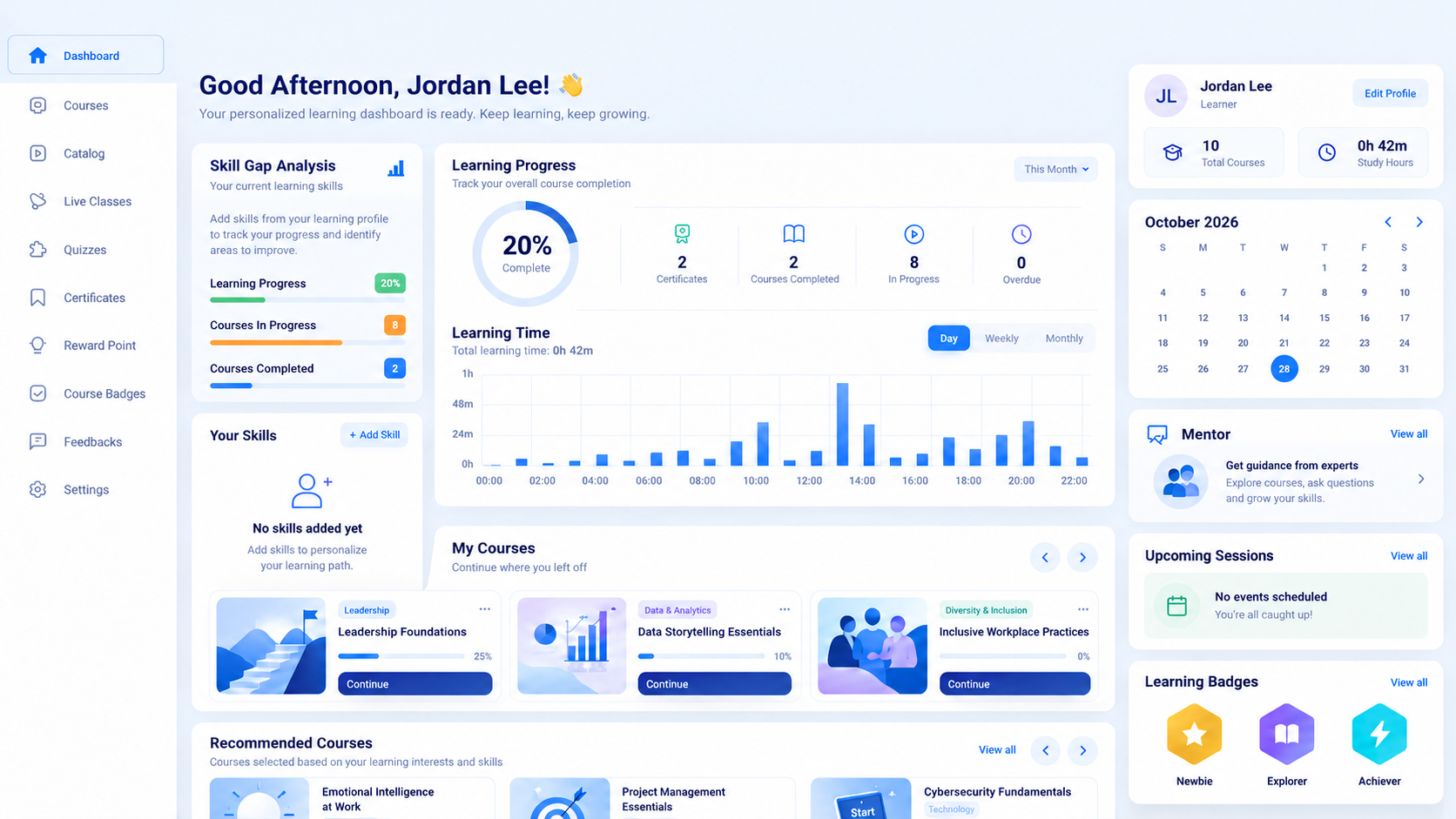
Curiasity LMS learner dashboard showing learning progress, courses, and learner activity
Built for learning teams

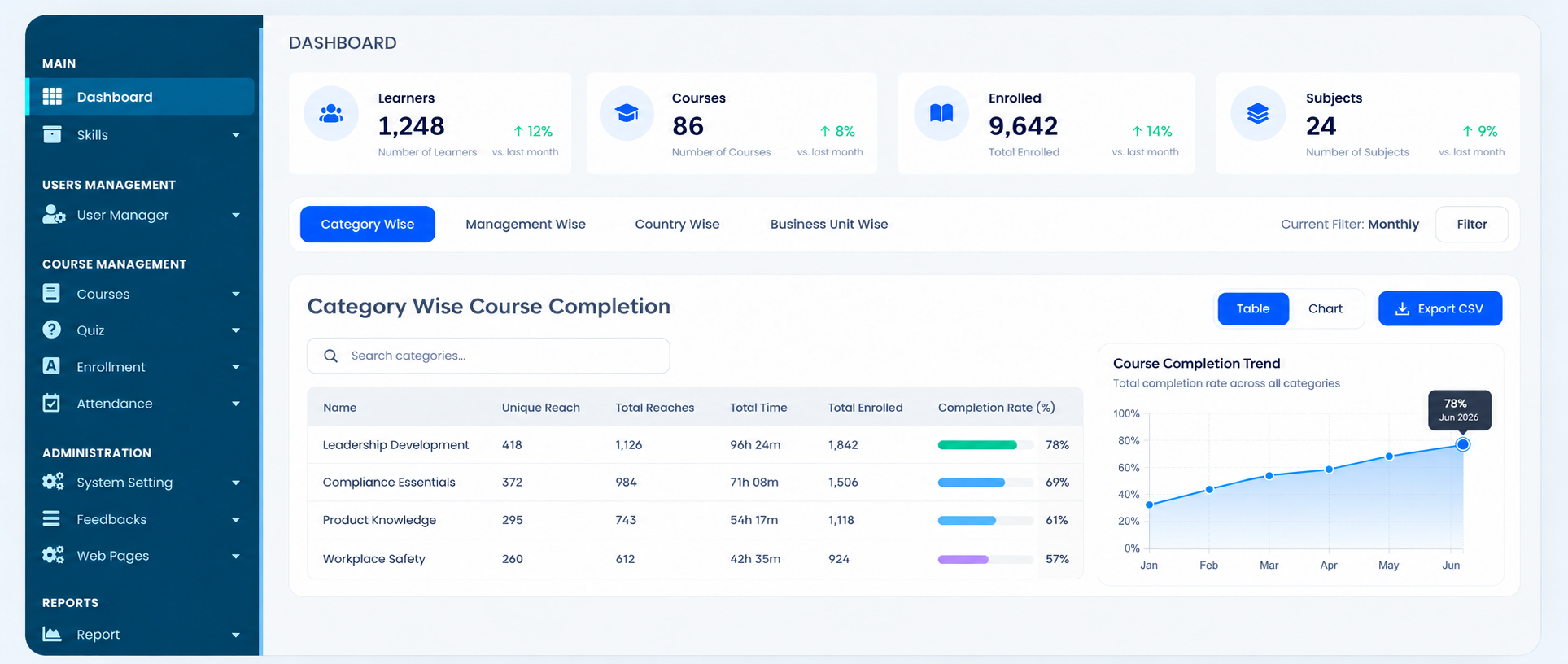
Give administrators a clear view of learning performance

Monitor learners, courses, enrollments, attendance, and completion trends from one connected corporate dashboard.

Curiasity LMS corporate dashboard with learner, course, enrollment, and completion analytics
Purpose built for each learning community

The right learning experience for every tenant

Shape learning around the way each organization teaches, develops, and supports its people.

01 · CORPORATE

For corporate

Support employee development and business-wide learning in a focused workspace.

Dashboard & skills: Give administrators a clear overview of learner activity, skill development, and team progress.

User management: Create departments, add learners, update learner profiles, and manage people by business unit.

Course management: Create, edit, update, publish, categorize, and organize courses, catalogs, levels, and external trainers.

Learning paths & plans: Build, edit, update, and assign structured learning paths, learning plans, and learning groups.

Quiz & assessments: Create question groups, add and import questions, manage question banks, configure quizzes, and review quiz reports.

Enrollment & attendance: Manage new enrollments, approval lists, enrollment records, attendance, and learning sessions.

Feedback & administration: Configure system settings, employee feedback forms, feedback settings, and feedback reports.

Web pages: Manage webpage settings, galleries, reviews, and new review content for the tenant experience.

Reports & dashboards: Create custom reports and dashboards for courses, feedback, learning plans, and business insights.

02 · INSTITUTE

For institutes

Organize structured learning for professional, vocational, and certification programs.

  • Dashboard & skills: Track learner activity, skill development, and program progress.
  • User management: Create departments, add learners, update learner profiles, and manage cohorts.
  • Course management: Create, edit, update, publish, categorize, and organize courses, catalogs, levels, and trainers.
  • Quiz & assessments: Create question groups, add and import questions, configure quizzes, and review quiz reports.
  • Enrollment & attendance: Manage new enrollments, approvals, enrollment records, attendance, and sessions.
  • Feedback & administration: Configure system settings, feedback forms, feedback settings, and reports.
  • Web pages: Manage webpage settings, galleries, reviews, and new review content.
  • Reports & dashboards: Create custom reports and dashboards for courses, feedback, and program insights.
03 · COLLEGE

For colleges

Bring students, faculty, and academic learning into a connected digital environment.

  • Dashboard & skills: Track student activity, skill development, and academic progress.
  • User management: Create departments, add learners, update student profiles, and manage cohorts.
  • Course management: Create, edit, update, publish, categorize, and organize courses, catalogs, levels, and trainers.
  • Quiz & assessments: Create question groups, add and import questions, configure quizzes, and review quiz reports.
  • Enrollment & attendance: Manage new enrollments, approvals, enrollment records, attendance, and sessions.
  • Feedback & administration: Configure system settings, feedback forms, feedback settings, and reports.
  • Web pages: Manage webpage settings, galleries, reviews, and new review content.
  • Reports & dashboards: Create custom reports and dashboards for courses, feedback, and academic insights.
Multiple learning communities?

Bring your tenants together on Curiasity LMS.

Talk to our team →